
Grinch Dog Filter: Turn Your Dog or Cat Into the Grinch
Upload one photo of your pet and get four Grinch versions of it, each with a different scheming grin, in about a minute.
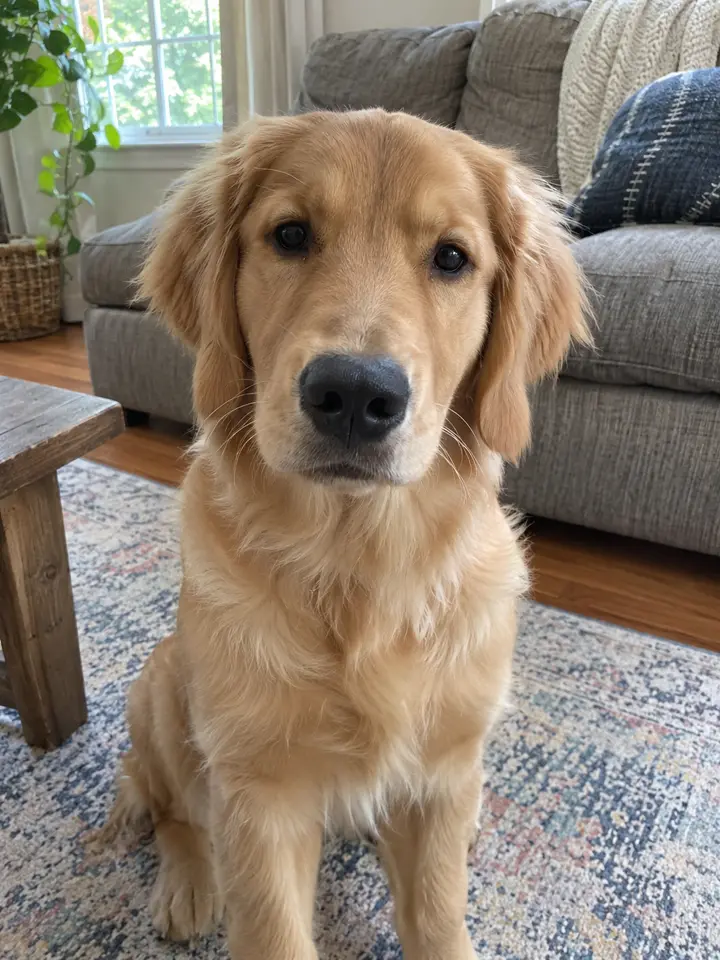
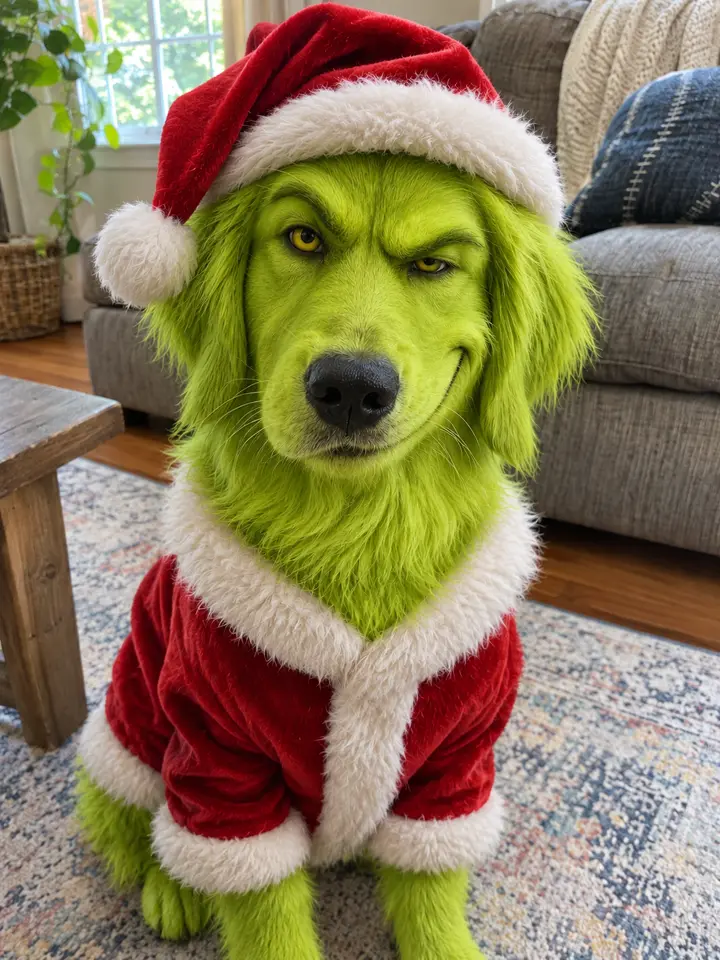
The Grinch Pet filter recolors your dog or cat lime green, adds the furrowed brows, yellow eyes and a Santa suit, and keeps everything else: its breed, markings, pose and the room it sits in. Drag the line to compare.
 Drag to compareBeforeAfter
Tap one to compare.
Make your Grinch Pet
- 1Add one photo. One pet or person, face clearly visible.
- 2We make it 4 times. 4 slightly different images, in about a minute.
- 3Keep the ones you like. Full-size downloads, no watermark.
Delete the images in My creations and your photo is erased with them.
Photo tips
Face clear Blurry photo
 Too dark
You get 4 images like these
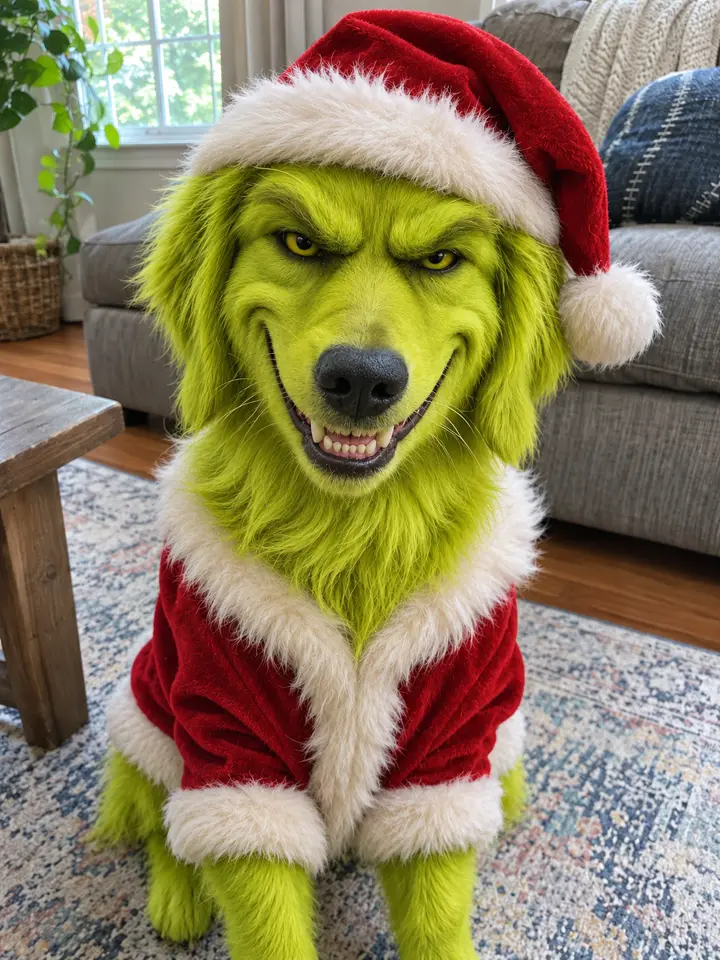
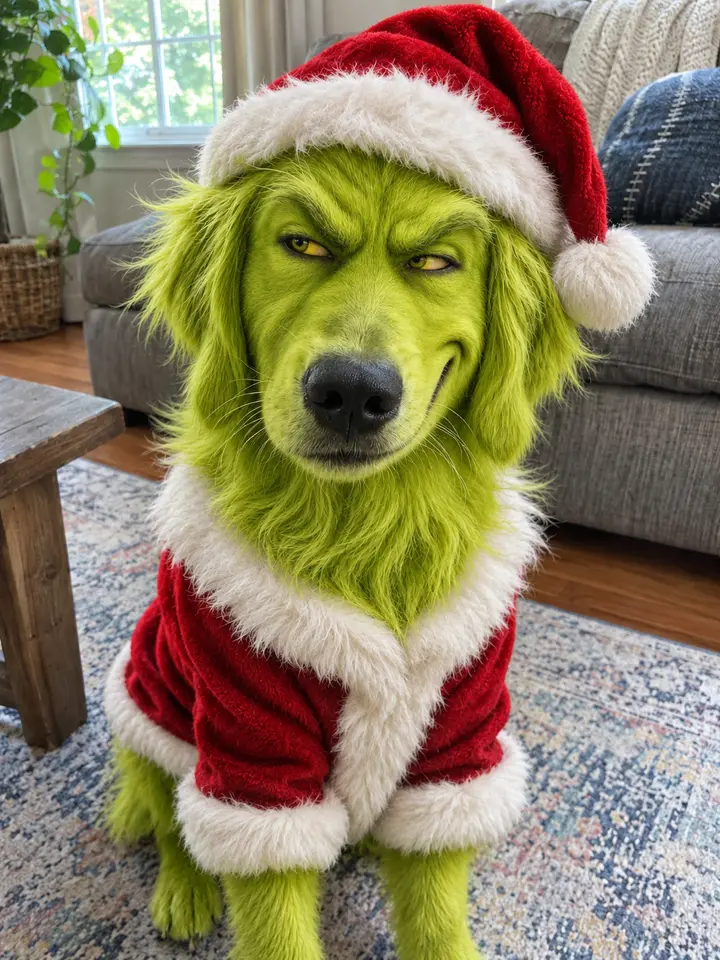
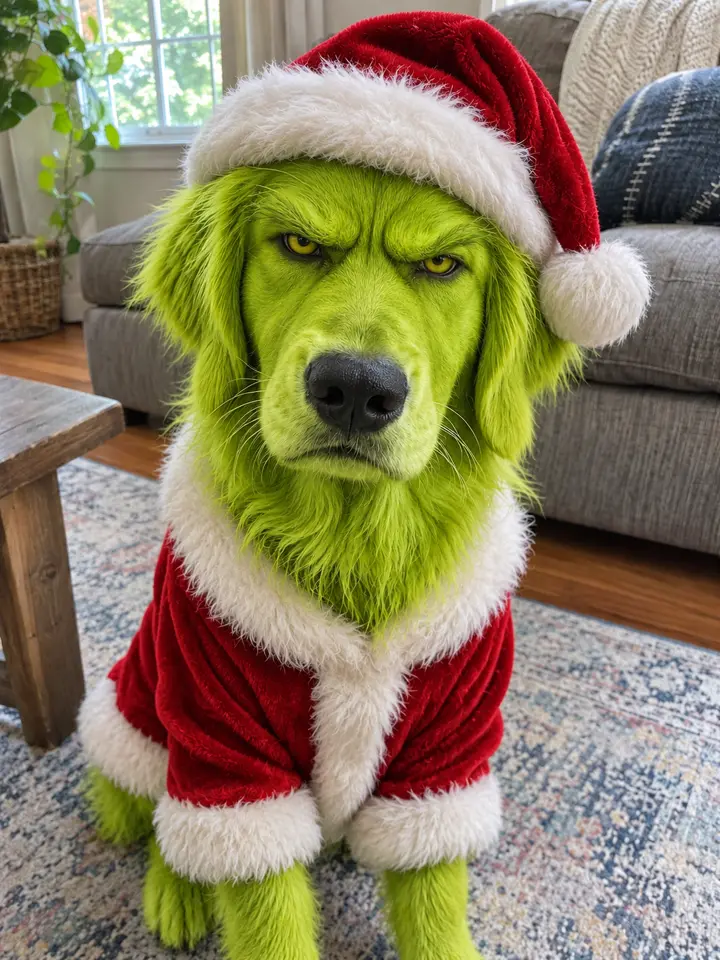
$2.99 for 4 images · no subscription · never expires
A failed image goes back to your account.
Grinch Pet Before and After
4 photos we ran through the filter. Drag each line to see what it keeps from the photo and what it changes.
- BeforeAfter
Golden retriever, living roomEar shape, pose, the rug and the sofa all stay; only the dog changes.
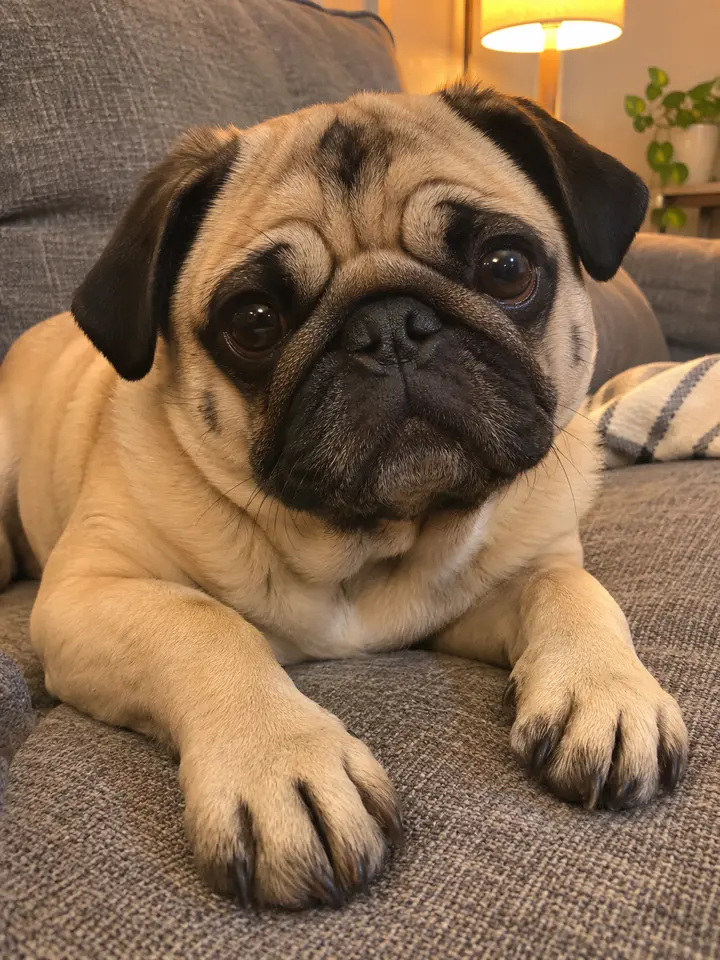
 BeforeAfter
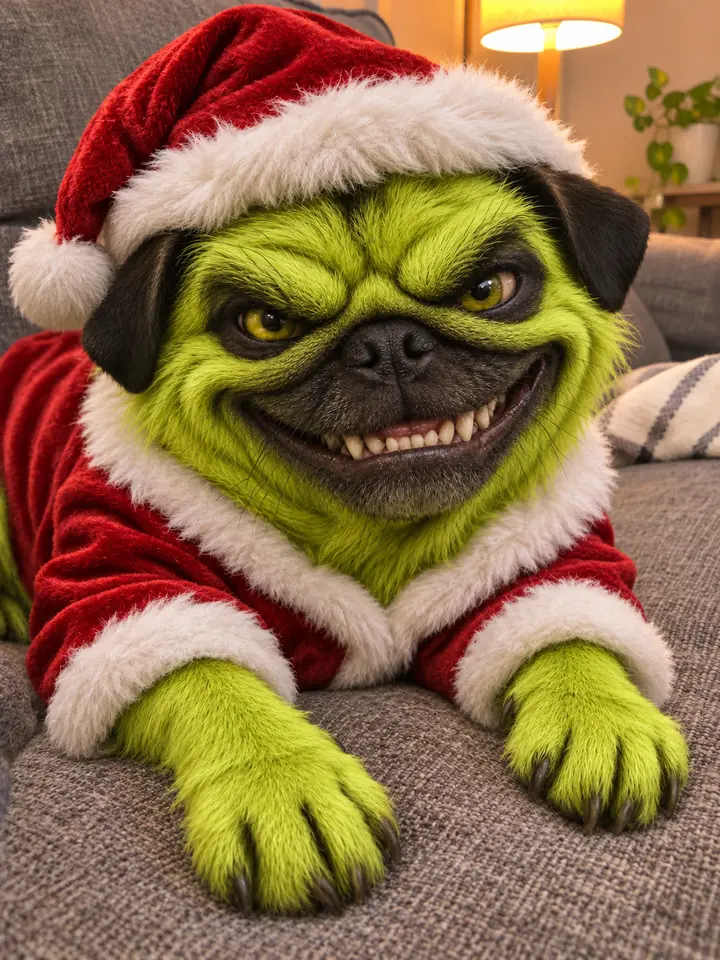
Pug on the couch, lamp lightThe black mask and ears stay dark: markings turn into deeper greens.
 BeforeAfter
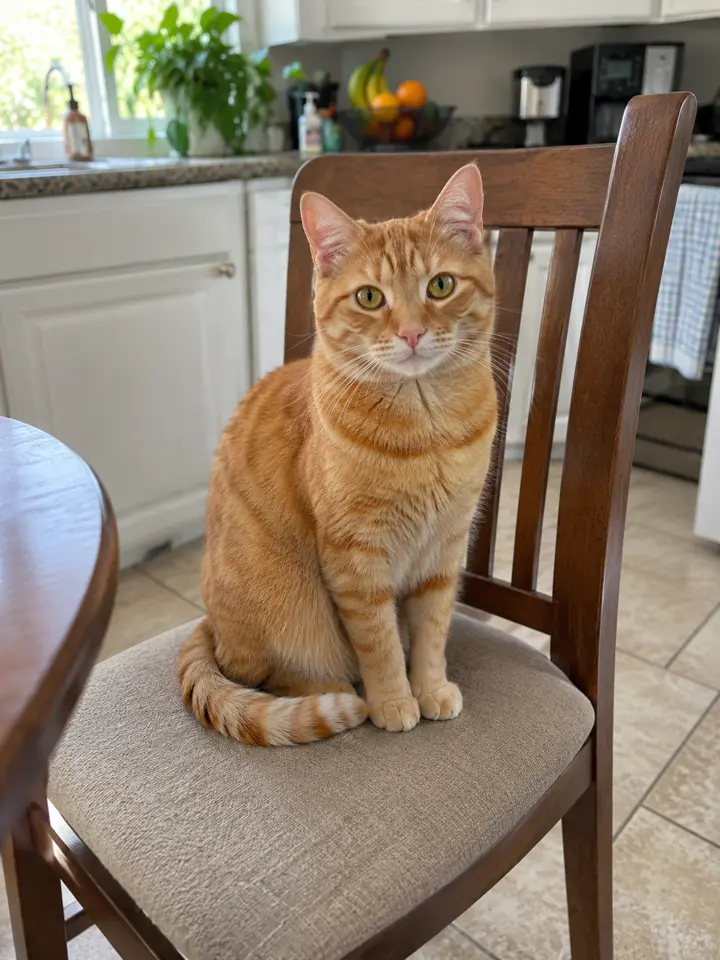
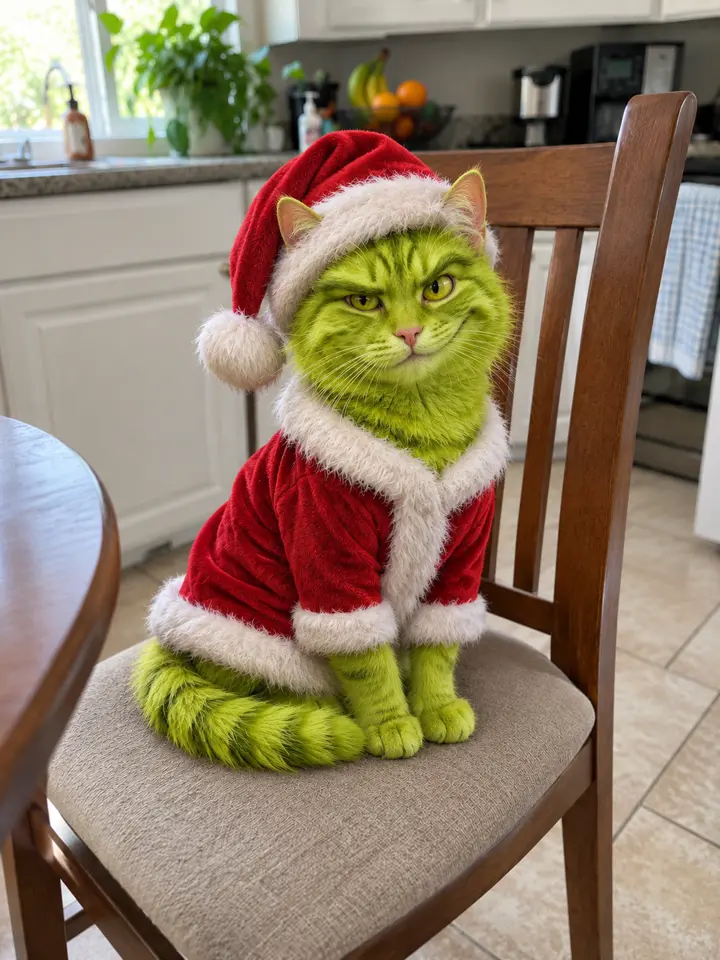
Tabby cat on a chairCats work the same way; the tail keeps its stripes in green.

 BeforeAfter
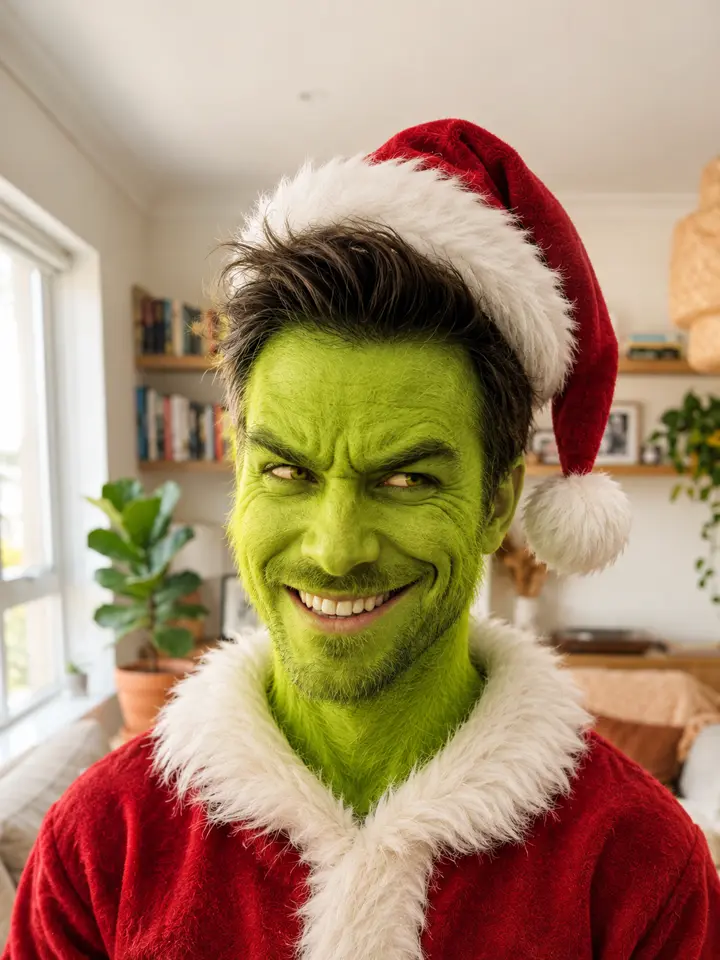
A person, upper bodyPeople get green skin and the grin, with their own face and hair.
What Is the Grinch Pet Trend?
In the second week of November 2026, TikTok filled with dogs and cats turned into the Grinch: the same pet, in the same room, suddenly lime green, with heavy brows, yellow eyes and a sly grin under a Santa hat. Most of the posts were made with a CapCut template called "Grinch Pet AI", and the captions are a mix of English and Spanish.
The joke works because the pet stays recognisable. Owners know their dog’s ears, the patch over one eye, the way it sits on the rug. When all of that is still there but the face has the Grinch’s look, it reads as "my dog, but up to something", which is why people post the before and the after side by side.
The Grinch himself is the Christmas-hating character from Dr. Seuss’s 1957 book How the Grinch Stole Christmas!. A "grinch filter" for faces has come back on social apps every December; the pet version is this year’s twist. MemeRiff is not affiliated with Dr. Seuss Enterprises or Universal, and our images carry no title or logo.
Key facts
- Started
- TikTok, 8 November 2026
- Most viewed post we found
- @nala.y.lizzy · 714,769 views (12 Nov 2026), a cat
- Spread through
- CapCut template "Grinch Pet AI"
- The character
- Dr. Seuss, How the Grinch Stole Christmas! (1957)
What People Make With the Grinch Pet Filter
One photo, four Grinch versions. Here is what owners do with them, and which photos we used to test each.
BeforeAfterThe before-and-after post
The format of the trend: your pet as it is, then the Grinch version. Post them as a two-image carousel or a split screen. The change lands best when the photo is a normal, slightly messy phone shot of your living room, because everything except the pet stays the same.
The four images you get differ only in the expression (a smug grin, a wide toothy one, a sideways look, a grumpy pout), so you can pick the one that fits your pet’s personality.
BeforeAfterA Christmas card or a phone wallpaper
The images are a tall 3:4, the shape of a phone screen and close to a 5 × 7 card. A pet looking straight at the camera, filling most of the frame, makes the strongest card.
BeforeAfterThe cat version
Cats get the same treatment: green fur, the brows and the suit, with their own stripes and eye shape kept. Sitting cats work better than curled-up ones, because the suit needs a body to fit.
BeforeAfterYou and your pet
The filter works on people too: green skin with soft fur, the grin, the Santa suit, and your own face, hair and room. Make one of each and post them together.
Grinch Pet Photo vs. Face Effect vs. Video Template
Three different things are called a grinch filter. They suit different jobs.
| Grinch Pet photo (this page) | Live face effect | Video template | |
|---|---|---|---|
| What you get | Four still images of your pet as the Grinch | A green mask over a face while you film | A short clip with the template’s title and sound |
| Works on pets | Yes, made for dogs and cats | Mostly built for human faces | Yes, from one photo |
| Keeps your room | Yes | Yes, it is live | Usually replaced |
| Best for | Cards, wallpapers, before-and-after posts | Filming yourself | A ready-made TikTok edit |
Which Pet Photo Gives the Best Grinch?
From our test runs. The filter repaints what it can see, so the photo decides how much the result looks like your pet.
Works:Face clear, looking at you
Eyes, ears and markings in focus and in good light. A pet sitting or lying facing the camera gets the best grin and a suit that fits.Avoid:Blurry photo
Soft edges lose the markings, and the green face can drift away from your pet’s.Avoid:Too dark
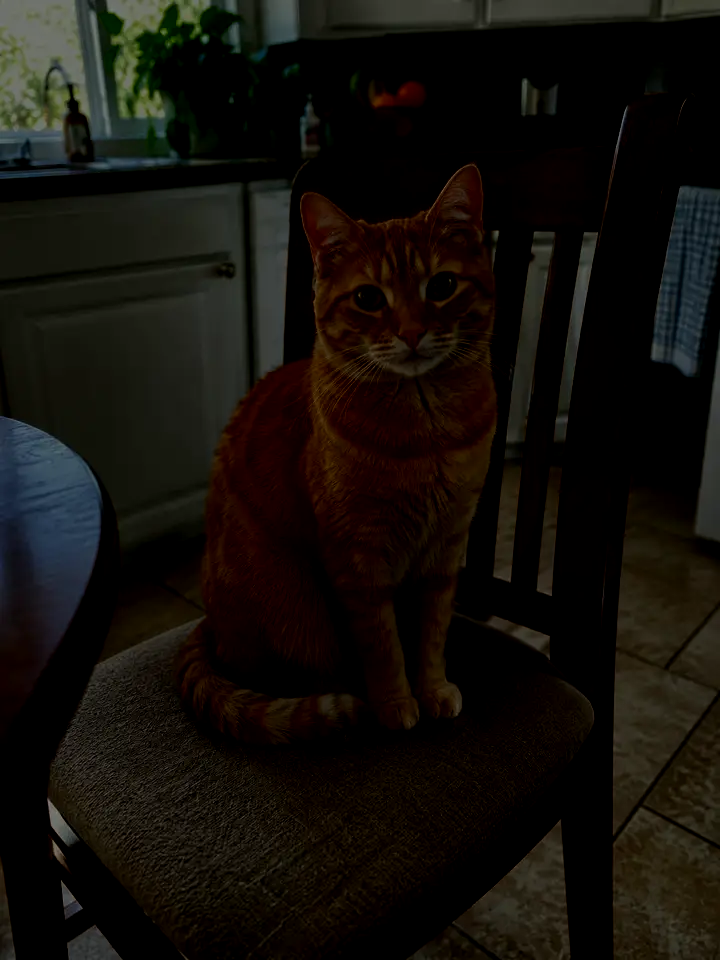
In a dim room the fur pattern disappears, so the filter guesses. Turn a light on or move to a window.
How to Post Your Grinch Pet
Post the real photo first and the Grinch second, so the swipe shows the change. TikTok and Instagram ask you to label realistic AI images, so switch on the AI label when you post.
Caption ideas
- He’s been planning this since Thanksgiving
- You’re a mean one, Mr. Biscuit
- Caught my dog stealing Christmas
Hashtags
- #grinchpet
- #grinchdog
- #grinchcat
- #grinchfilter
- #dogsoftiktok
Photo Requirements and What You Get
Pricing
Buy once, no subscription. Photo packs pay for images; video packs pay for videos.
Photo pack
$2.99
Four images from one photo, on any photo meme.
- · 4 images, no watermark
- · Any photo meme on the site
- · Never expires
- · A failed image goes back to your account
Want a video instead? See the video packs.
Grinch Pet FAQ
What is the Grinch dog filter?
It turns a photo of your dog into the Grinch: lime-green shaggy fur, heavy brows, yellow eyes, a sly grin and a red Santa suit, while its breed, markings, pose and the room stay as they are. You upload one photo and get 4 images.
Does it work on cats and other pets?
Yes. Cats keep their own face shape, stripes and eye shape in shades of green. Any pet works as long as its face is clear in the photo.
Can I turn myself into the Grinch too?
Yes. A photo of a person gets green, lightly furry skin, the grin and the Santa suit, with their own face, hair and background kept.
Will it still look like my pet?
That is what we tested for. Ear shape, markings, collar, pose and background are kept; the fur color, the brows, the eyes and the grin change. A sharp, well-lit photo keeps the most likeness.
How much does it cost and how long does it take?
$2.99 for 4 images, ready in about a minute. No subscription, and an image that fails goes back to your account.
Is there a watermark or a Grinch logo on the images?
No. The downloads are clean, with no watermark, title or logo.
What happens to my photo?
It is used only to make your images. Delete the images in My creations and the photo is erased with them. Read our Privacy Policy.